Card Controls
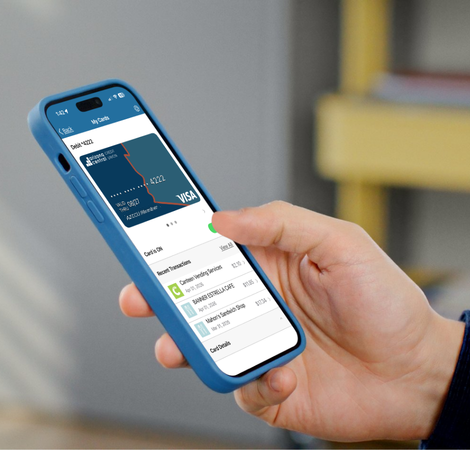
Having a wallet with your ID, cash and cards stolen can be a stressful experience, but Arizona Central has the tools to cover you just in case. Integrated right into our mobile app, you’ll find a section called “Card Controls”. There you can turn your card on and off, and even set limits on what your card can be used for.
Questions? Read our FAQs for additional information.

What else can it do?
Card controls gives you the ultimate control over your Arizona Central cards and your account right from the palm of your hand, or desktop. This can help deter fraud by letting you know if someone is trying to use your card without authorization as soon as the transaction happens, enabling you to turn off the card immediately so no further fraudulent transactions are approved.
You can also:
- Add all Arizona Central cards to digital wallet for easier access
- Add travel notices via Card Controls
- View and track merchants where your card is saved on file
- Set alerts for card notifications in real time
- Report your card lost or stolen
- Set PIN, again and again
And more!
Login to eBRANCH Online Banking or the AZCCU Mobile App to start taking control of your cards today!
Lost or Stolen Card?
With digitally issued and reissued cards, the wait is over.
Now you can add a new, replacement, or even a lost or stolen card to your digital wallet before the physical card arrives in the mail so you can continue making purchases right away. Just like the cards you’ve already added, the experience is quick, secure, and completely seamless.
How to get started:
- Step 1: Request a card. Visit your nearest local branch or contact us online to request a card.
- Step 2: Check your texts. Next, at the end of the business day, you will receive a text message with a link to access your new card. Tap the secure link!
- Step 3: Follow the prompts. The link takes you to a secure webpage. Simply follow the prompts to easily and safely activate your new card.
- Step 4: Start spending! Add your new card immediately to your digital wallet, and you can start using it wherever digital payments are accepted.
Instant Access. No waiting required.
*This push feature is not yet available for Google Wallet